Physical Controls for Your Model 3 or Model Y
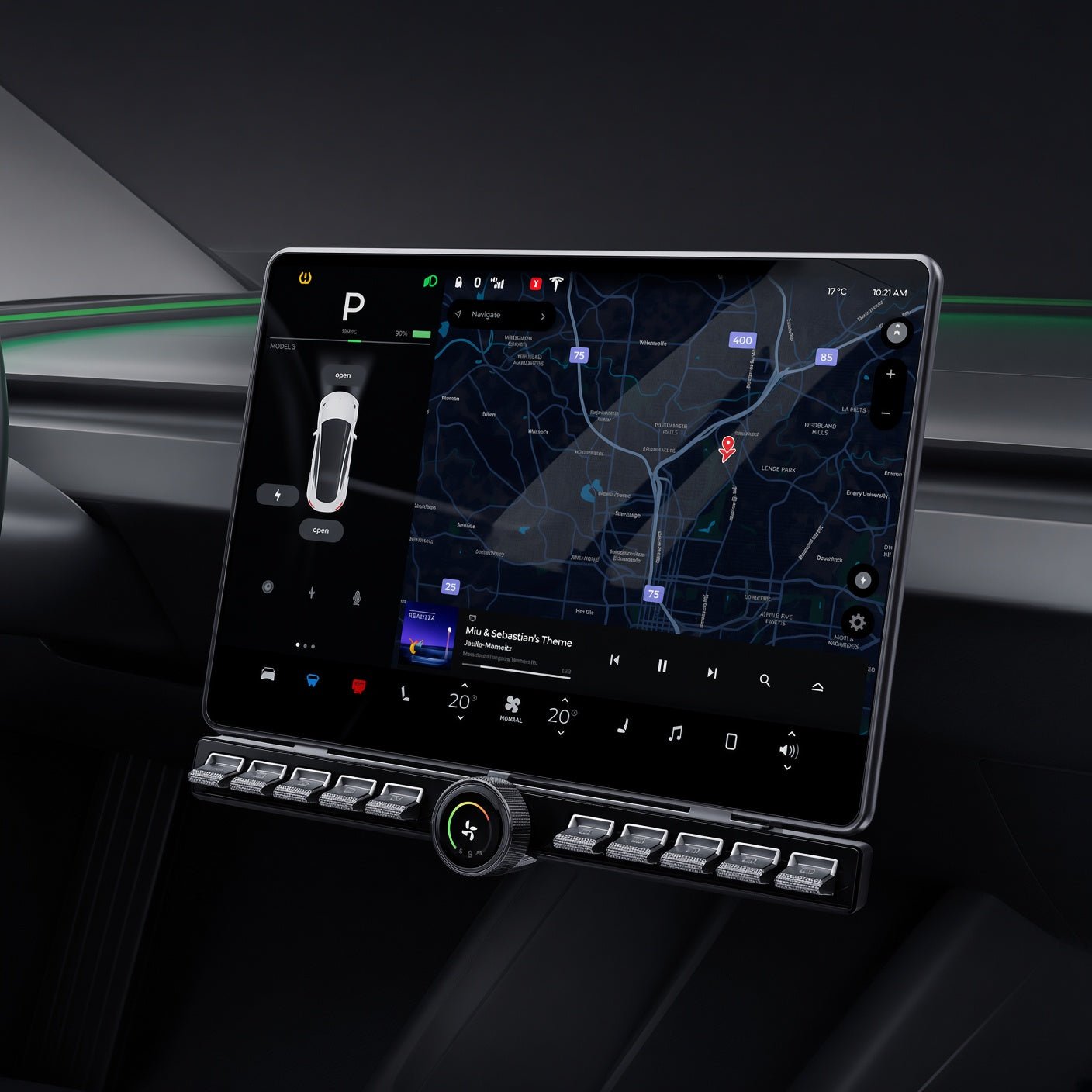
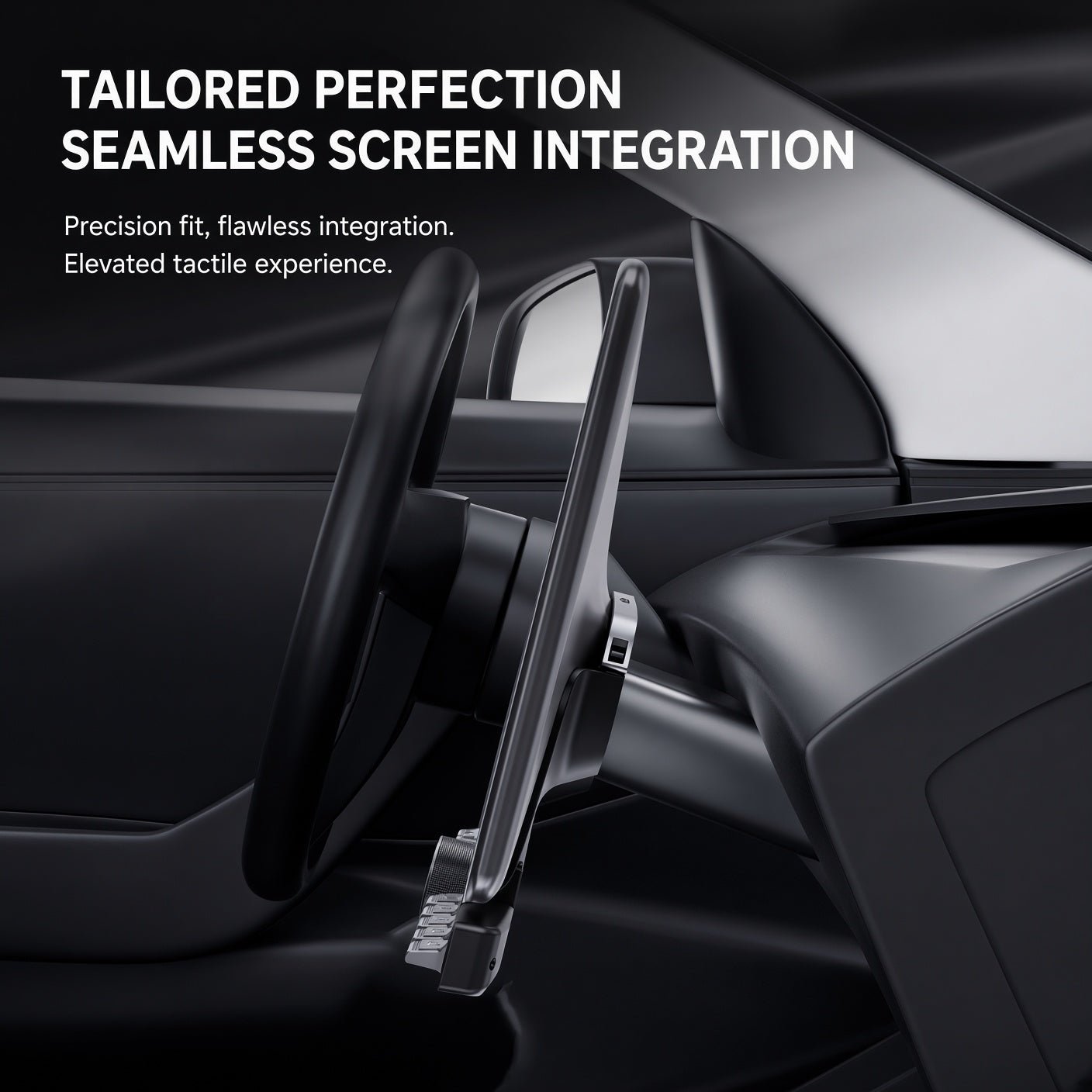
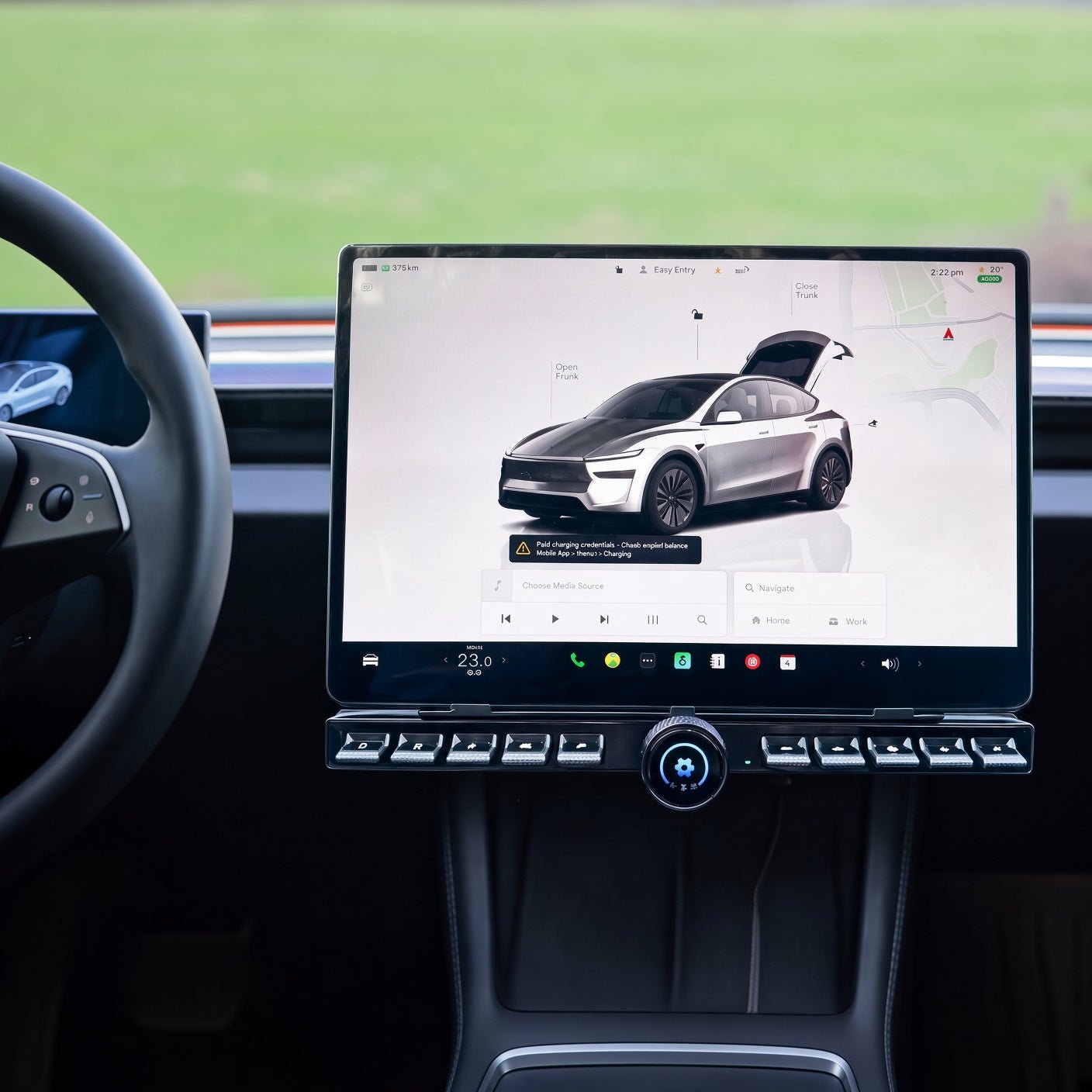
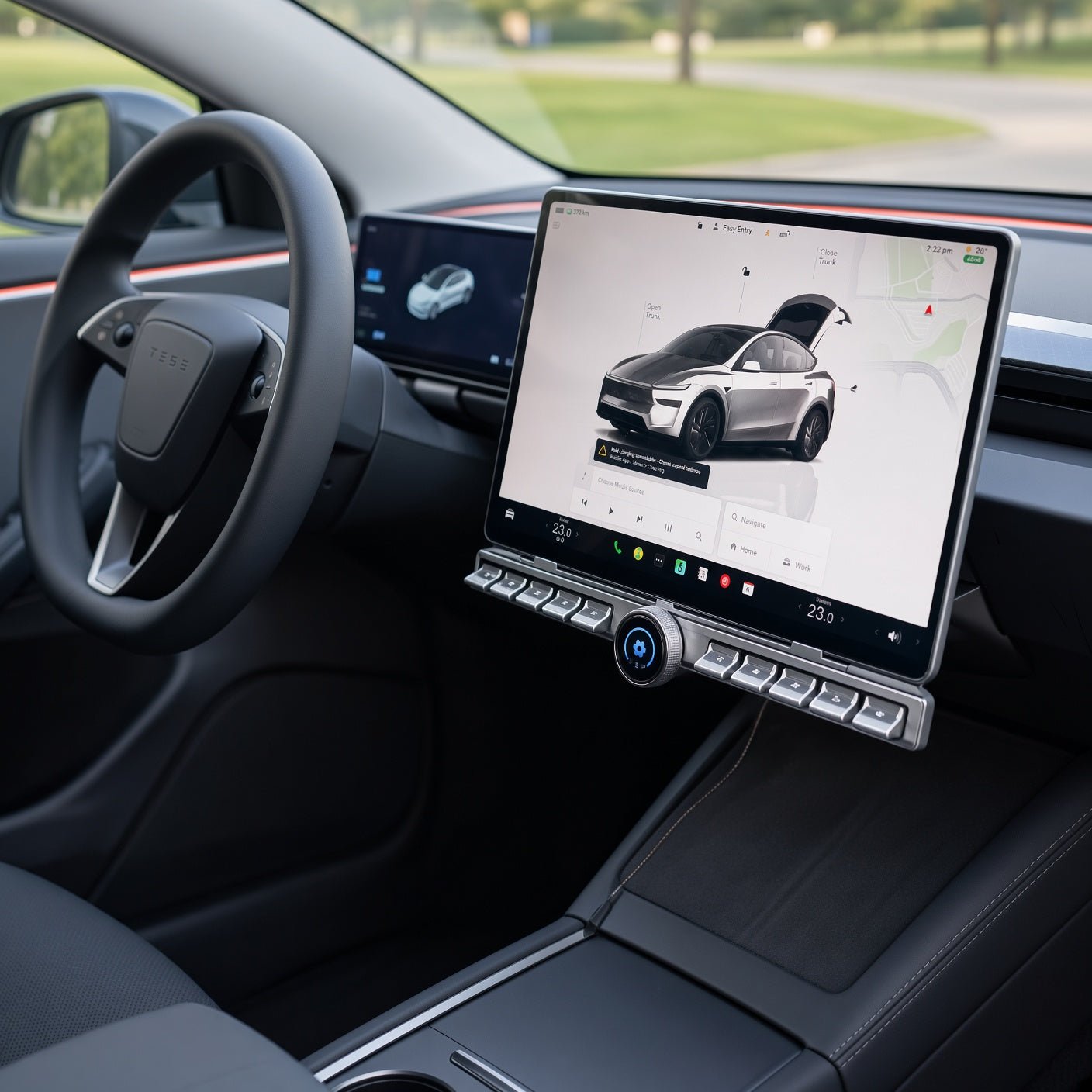
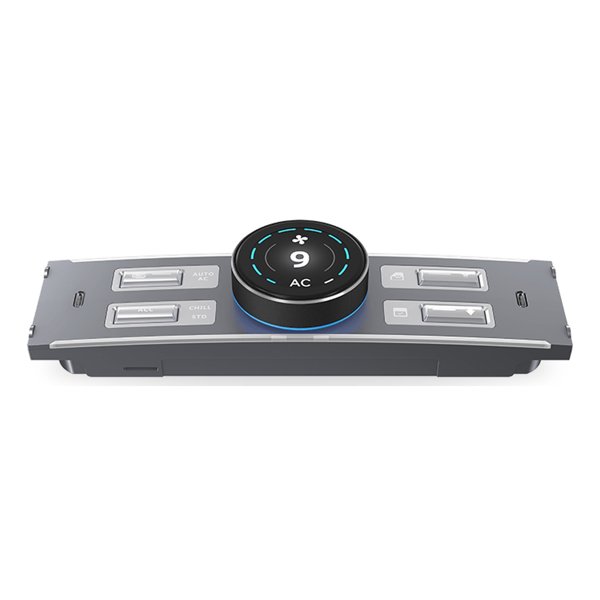
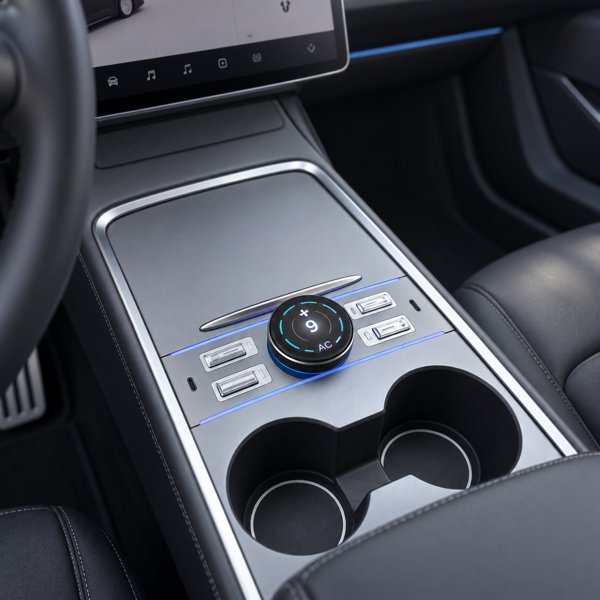
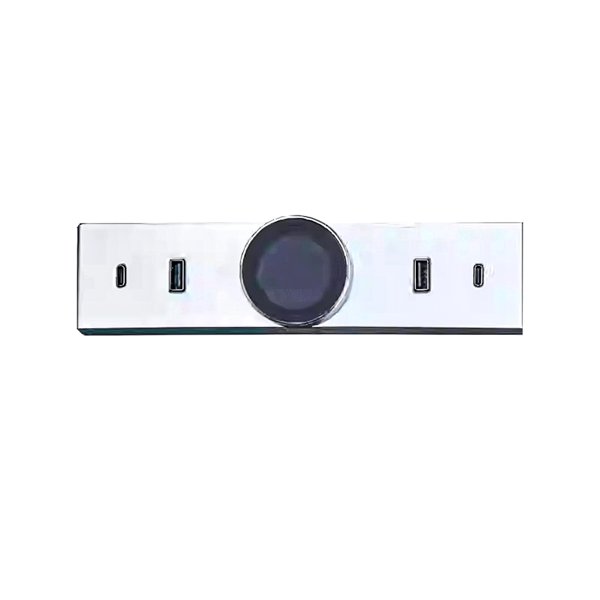
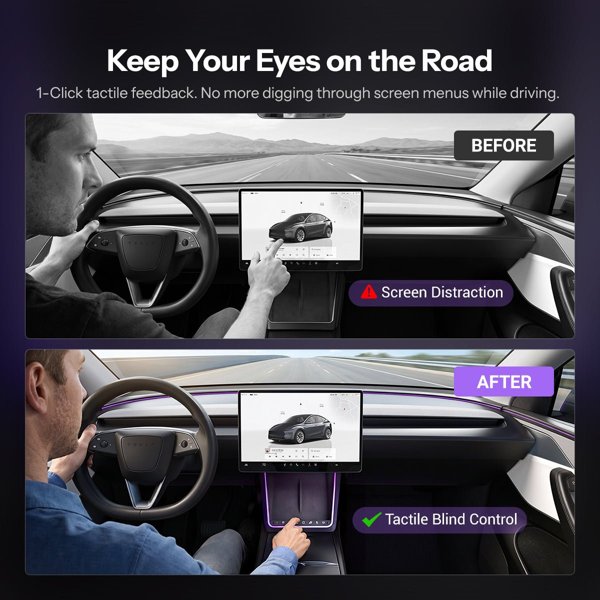
This panel adds ten physical buttons and one rotary LCD knob beside the central touchscreen. The knob offers airflow, temperature and shortcut modes, while the illuminated buttons can be assigned available functions. Choose the LHD or RHD version and have the supplied vehicle interface and screen-support mount matched to your actual vehicle.
- One Rotary LCD Knob
- 10 Physical Buttons
- Illuminated Icons
- LHD or RHD
Hauptmerkmale
-
Three Knob Modes
One rotary LCD knob provides airflow, temperature and customizable shortcut modes.
-
Ten Physical Buttons
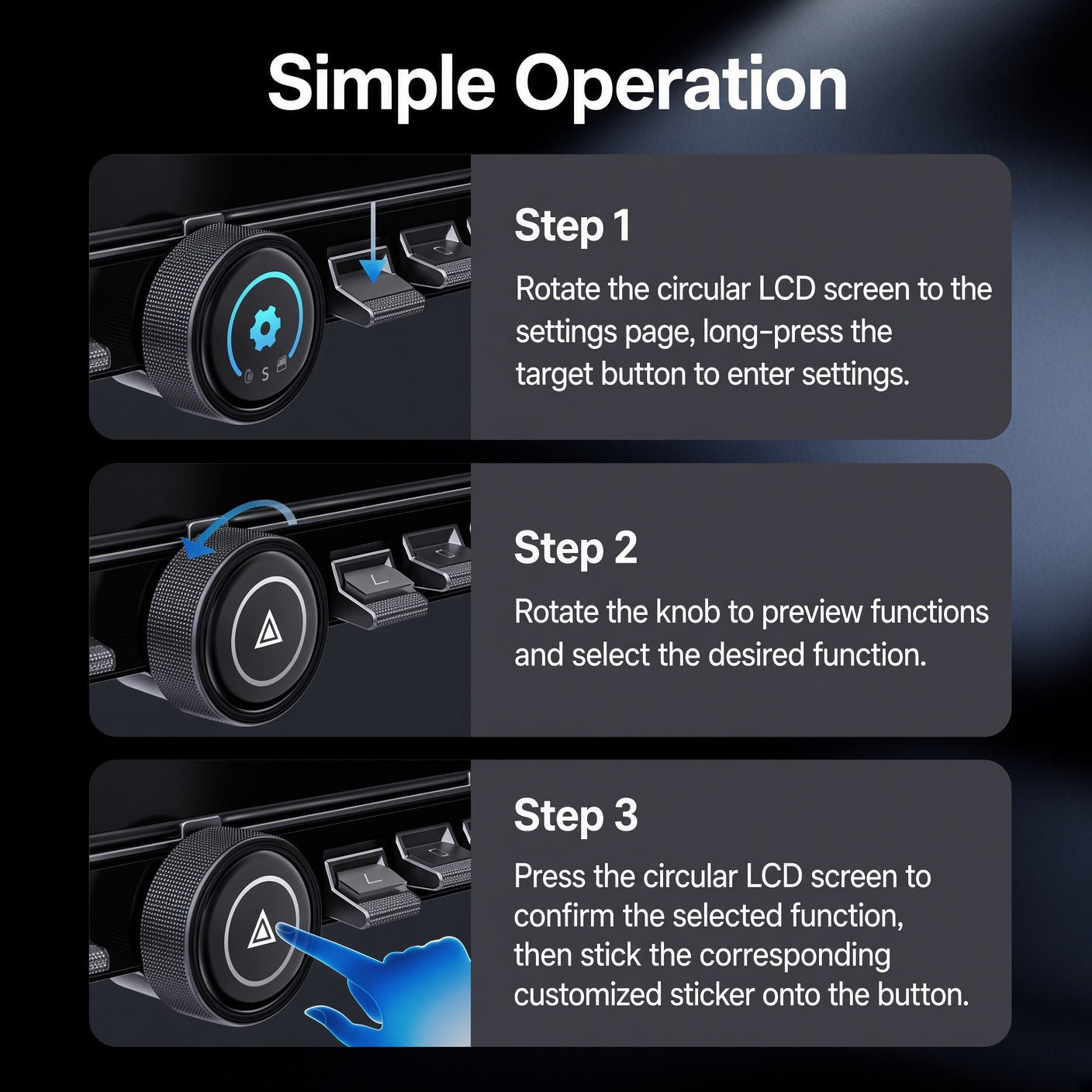
Assign available functions through the panel settings; the menu supports 20 function settings.
-
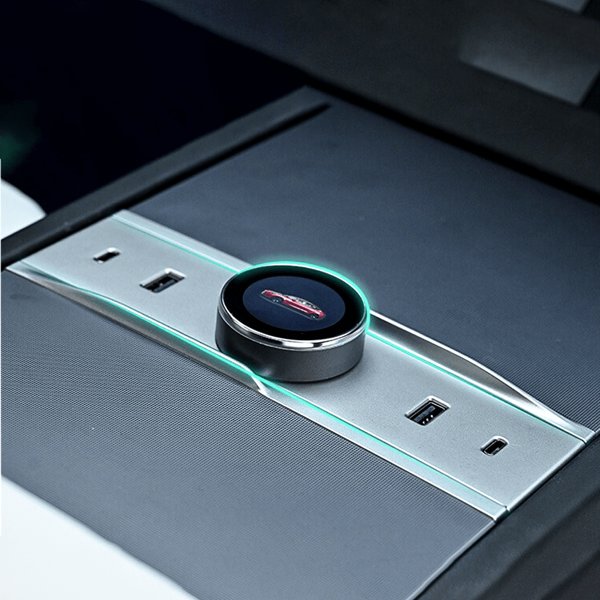
Round LCD
The knob uses a 128 × 128 px display to show its selected function.
-
Illuminated Icons
Glowing key icons and included stickers help identify the assigned functions.
-
Vehicle Interface Kit
A communication harness and protocol box connect the panel to compatible vehicle equipment.
-
Drive-Side Versions
Left-hand Drive and Right-hand Drive versions, each with its own harness and mount.
Highlights
Panel and Screen-Support Mount
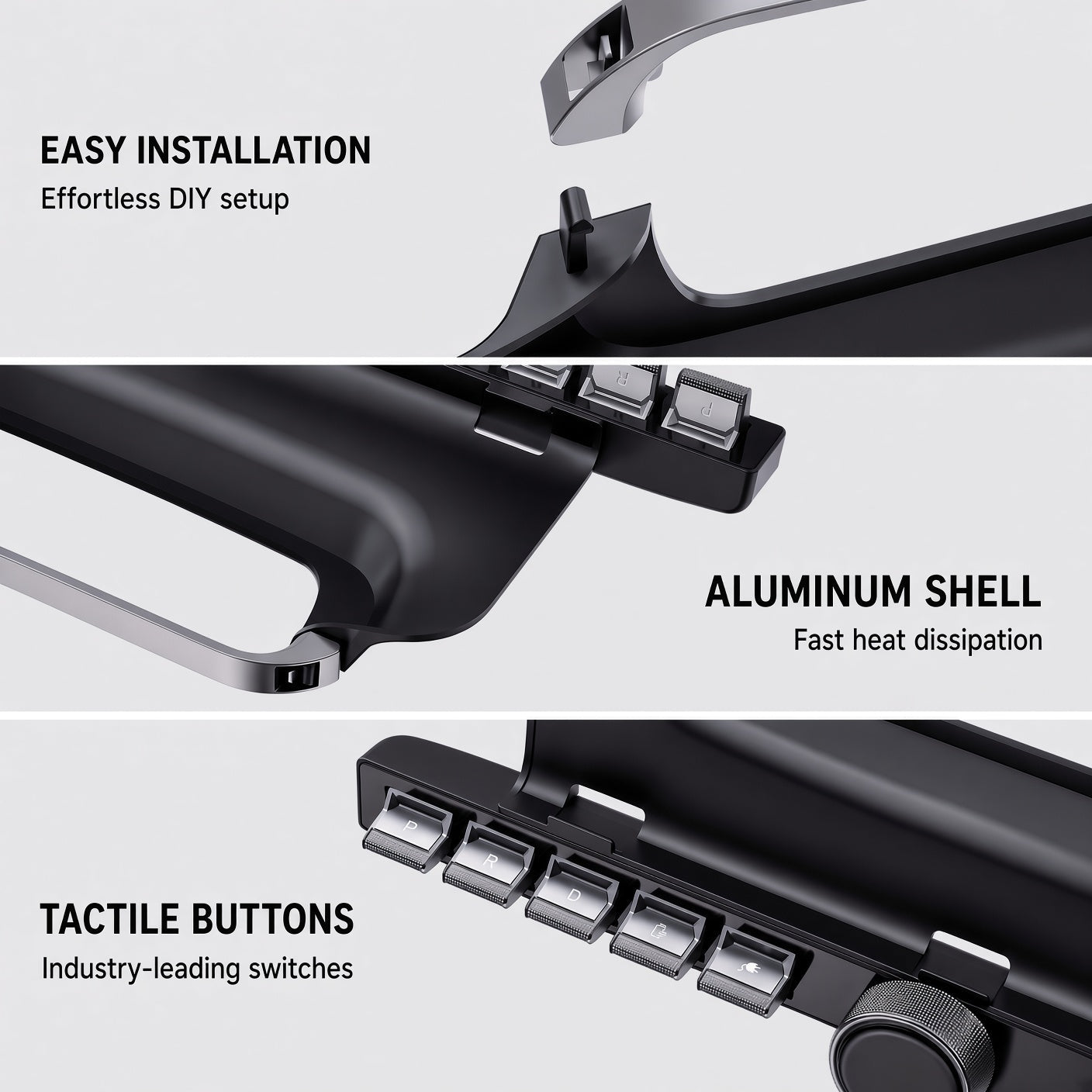
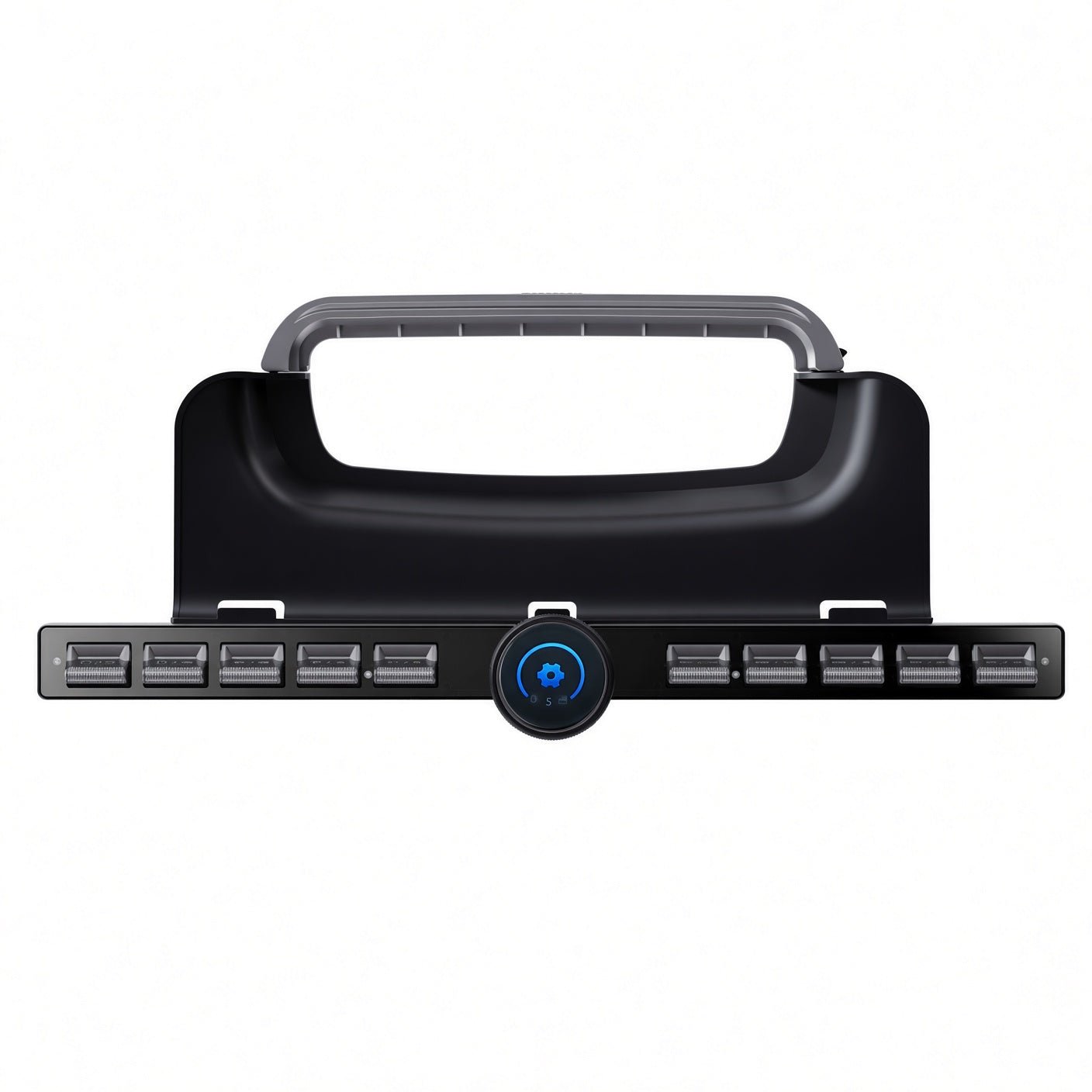
The complete panel has one rotary knob between two groups of five buttons. The supplied bracket attaches at the touchscreen support rather than replacing the vehicle’s original screen.
Set-Bestandteile
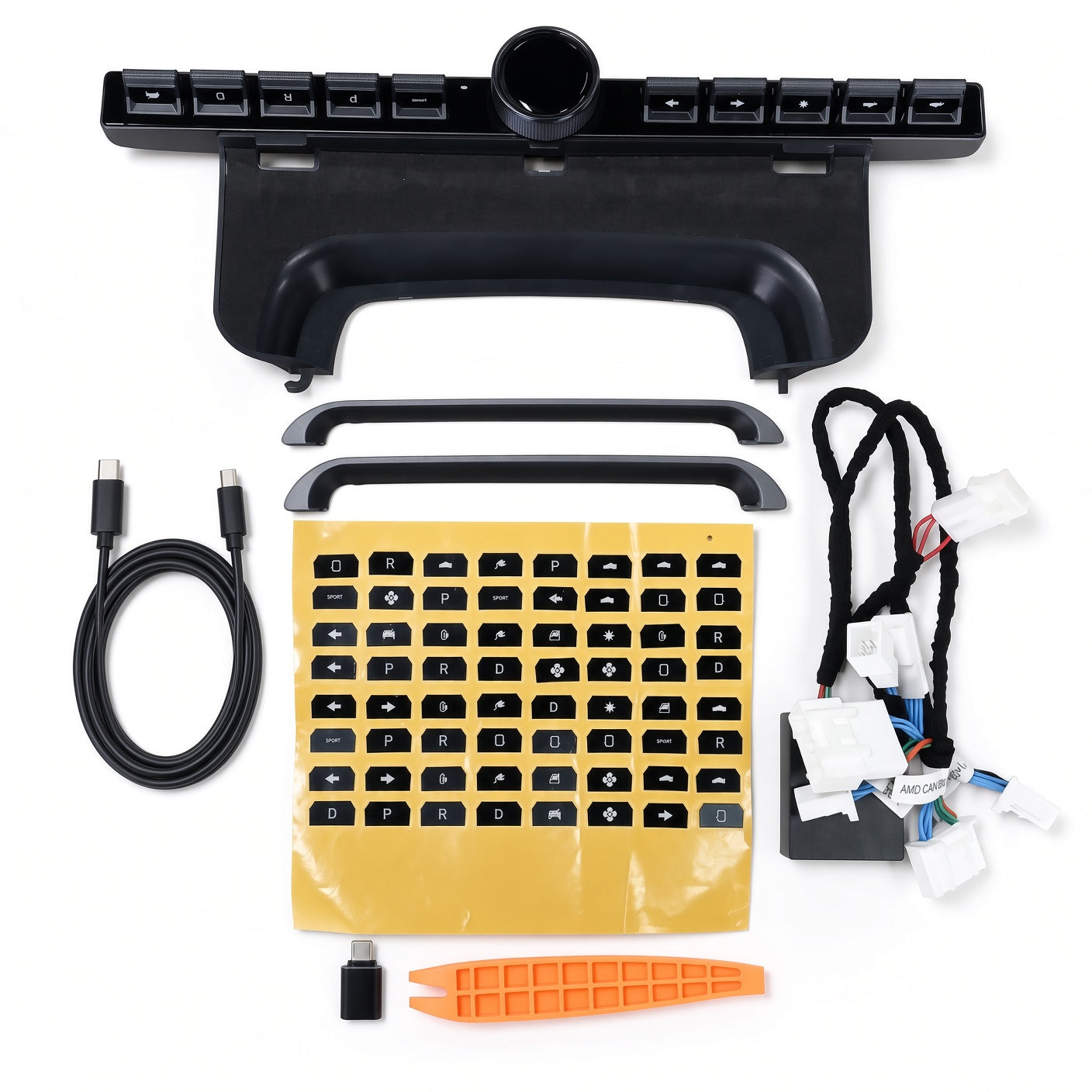
The kit includes brackets, the vehicle interface harness and protocol box, connecting cable, adapter, pry tool and icon stickers. Bracket and connector are specific to the vehicle configuration.
Assignable Functions
The knob settings menu assigns an available function to each button, with an icon sticker for each.
Kompatibilität
| Modell | Years / Version | Hinweise |
|---|---|---|
| Model 3 | 2021+ | Earlier version; long bracket. |
| Model 3 Highland | 2024+ | Short bracket. |
| Model Y | 2021+ | Earlier version; long bracket. |
| Model Y Juniper | 2025+ | Short bracket. |
| Model YL | 2026+ | Model YL configuration. |
These model names define the offered families. Each family has its own kit; configurations are not interchangeable.
Technische Daten
| Produkttyp | Physical button panel with rotary LCD knob |
|---|---|
| Compatible Models | Model 3, Highland, Model Y, Juniper and Model YL as listed below |
| Position / Location | At the central touchscreen support using the supplied bracket |
| Auflösung | 128 × 128 px round LCD |
| Eingang | Panel Type-C connection through the supplied vehicle interface and extension cable |
| Spannung | DC 12 V specified for the panel; use its matching interface harness |
| Strom | 200 mA specified operating current |
| Control Method | One rotary knob with three modes; 10 buttons and 20 function settings |
| Installation Type | Screen-support bracket fitting with trim removal and vehicle communication-harness connection |
| Hand Drive (LHD/RHD) | Left-hand Drive or Right-hand Drive version |
| Lieferumfang | Panel, brackets, vehicle interface/cables, adapter, pry tool and icon stickers |
| Versandgewicht | 1.2 kg (2.65 lb); not net product weight |
What's in the Box
- Control unit
- Long bracket for the listed earlier Model 3 / Model Y
- Short bracket for the listed Highland / Juniper
- Main vehicle interface harness with protocol box
- Power extension cable
- USB-Adapter
- Installation pry tool
- Custom icon stickers
Installation
- Remove only the trim specified for that vehicle to reach the matched communication connections. Fit the supplied main interface harness and protocol box at their designated connections; do not guess ports, pins or wire colors.
- Route the supplied extension to the panel, keeping wiring clear of moving parts, sharp edges, pedals and airbag areas. Connect the panel through the matching interface rather than an unrelated USB charger or direct battery feed.
- Fit the correct bracket to the touchscreen support, secure the panel and refit the trim without pinching cables. Restore power according to the applicable vehicle procedure.
- Configure each button assignment in the settings menu.
Gut zu wissen
Achtung
- LHD and RHD versions are separate.
- Use the supplied matched interface and cables at their designated connections. Do not treat the panel Type-C port as an ordinary phone-charging input, connect it directly to an arbitrary battery feed, or touch high-voltage or restraint-system wiring.
- Secure the harness without pinching it under trim or placing strain on the original connectors.
Pflege
- Wipe the panel with a soft dry or lightly dampened cloth. Keep liquids out of the buttons, knob and cable connections.
- Use only the supplied product’s matching firmware and update instructions. The USB firmware interface does not imply automatic wireless updates or continued support for every vehicle software release.
FAQ
Are there three separate rotary knobs?
No. There is one rotary LCD knob with airflow, temperature and shortcut modes, plus ten physical buttons.
Can I choose the button functions?
The settings menu offers 20 function settings. Availability depends on the vehicle and installed software.
Does the Type-C port accept an ordinary phone charger?
Use the supplied matched vehicle interface and extension cable. The panel specifies DC 12 V; a Type-C connector shape alone does not establish the required supply or protocol.
Is installation a quick USB plug-in?
No. It involves vehicle trim, a communication harness and protocol box, cable routing and a screen-support bracket.
Does this guarantee no distraction or unchanged warranty coverage?
No. Configure and learn controls while parked and use the original vehicle controls when a shortcut is uncertain. Warranty coverage remains subject to the applicable vehicle and product terms.

 English
  German
  Spanish