Wall Mount for the Gen 3 Router and Power Supply
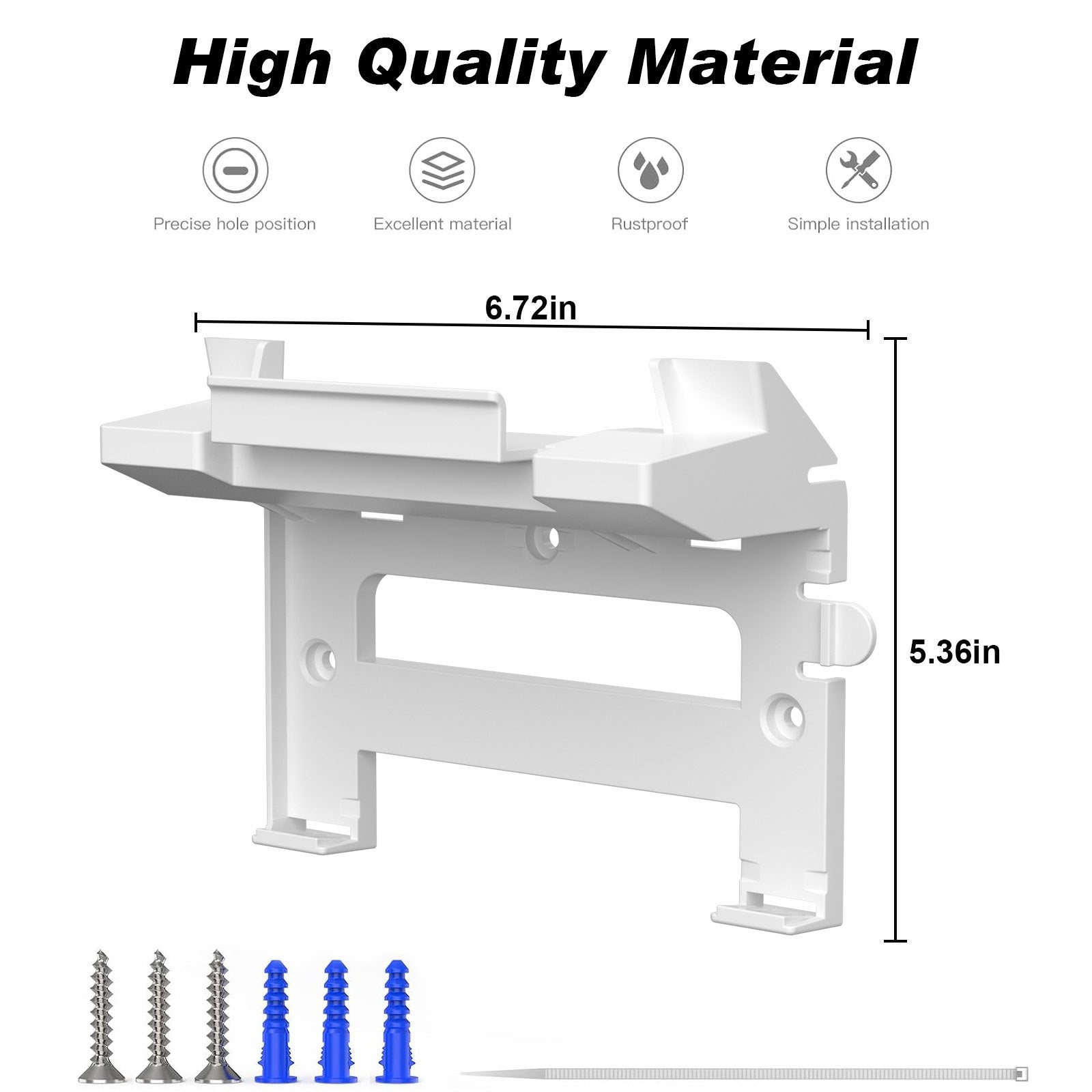
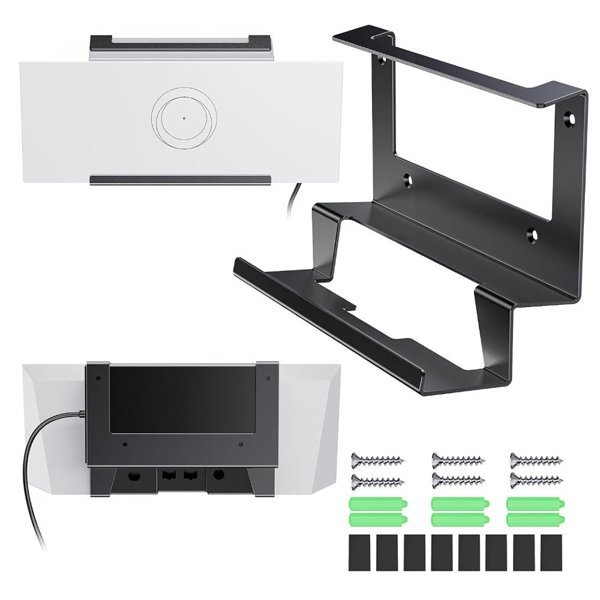
Keep a Starlink Gen 3 UTR-32 router and its matching V3 power supply together on the wall. This white ABS bracket has an upper router cradle and a lower power supply position, with adhesive pads, self-tapping screws and wall anchors included.
- Gen 3 UTR-32
- Router + Power Supply
- ABS Plastic
- Adhesive or Screws
Características principales
-
Two Device Positions
The upper cradle holds the router, with a separate power supply position below.
-
ABS Frame
The white plastic bracket provides both device positions in one wall-mounted frame.
-
Model-Specific Shape
The cradle and retention points are shaped for the Gen 3 UTR-32 router and matching V3 power supply.
-
Two Mounting Methods
Choose adhesive mounting on a compatible smooth surface or a wall-appropriate screw installation.
-
Hardware Included
The kit includes adhesive pads, self-tapping screws and wall anchors.
-
Cable Routing Space
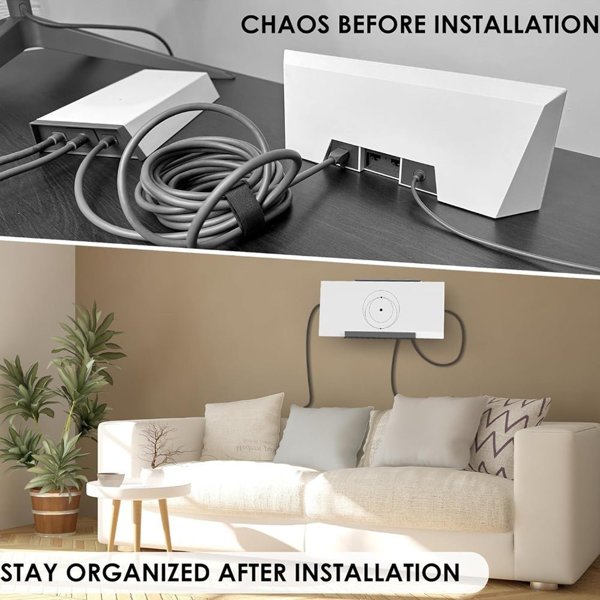
The layout leaves space behind the bracket for arranging cables without pulling on the device ports.
Aspectos destacados
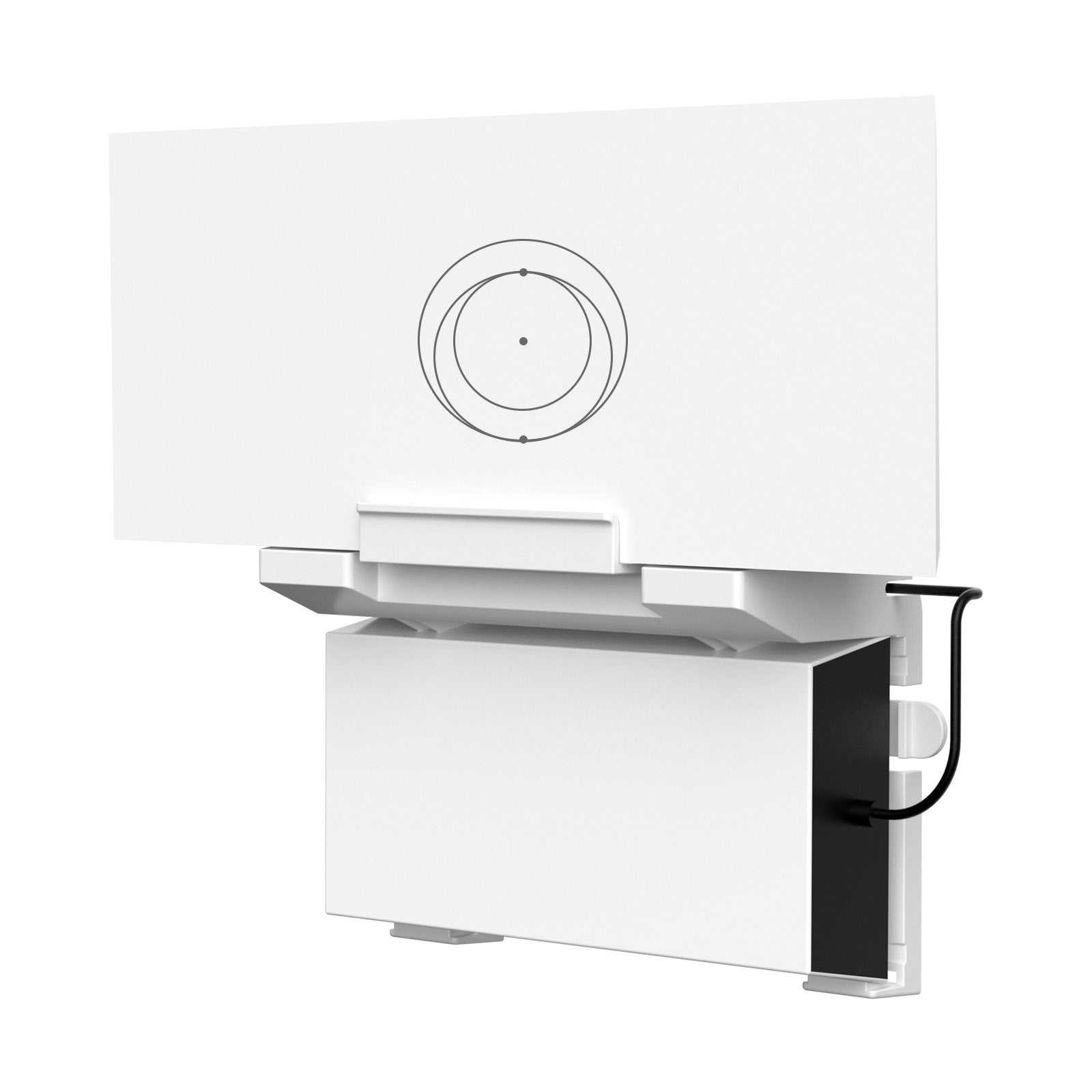
Two Positions, One Bracket
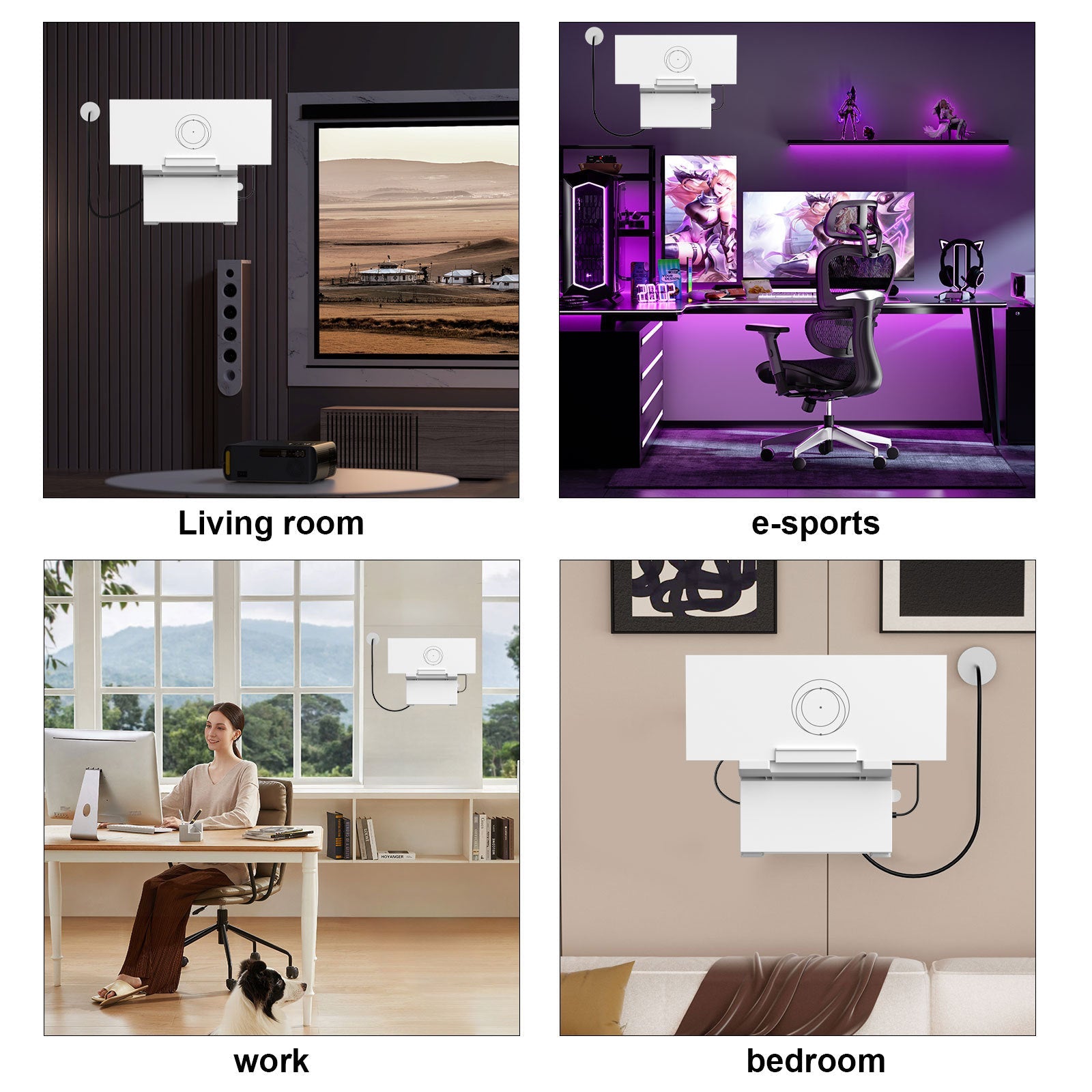
The installed view shows the router above the power supply in one frame. Starlink devices and their cables are shown for placement and are separate from the mount kit.
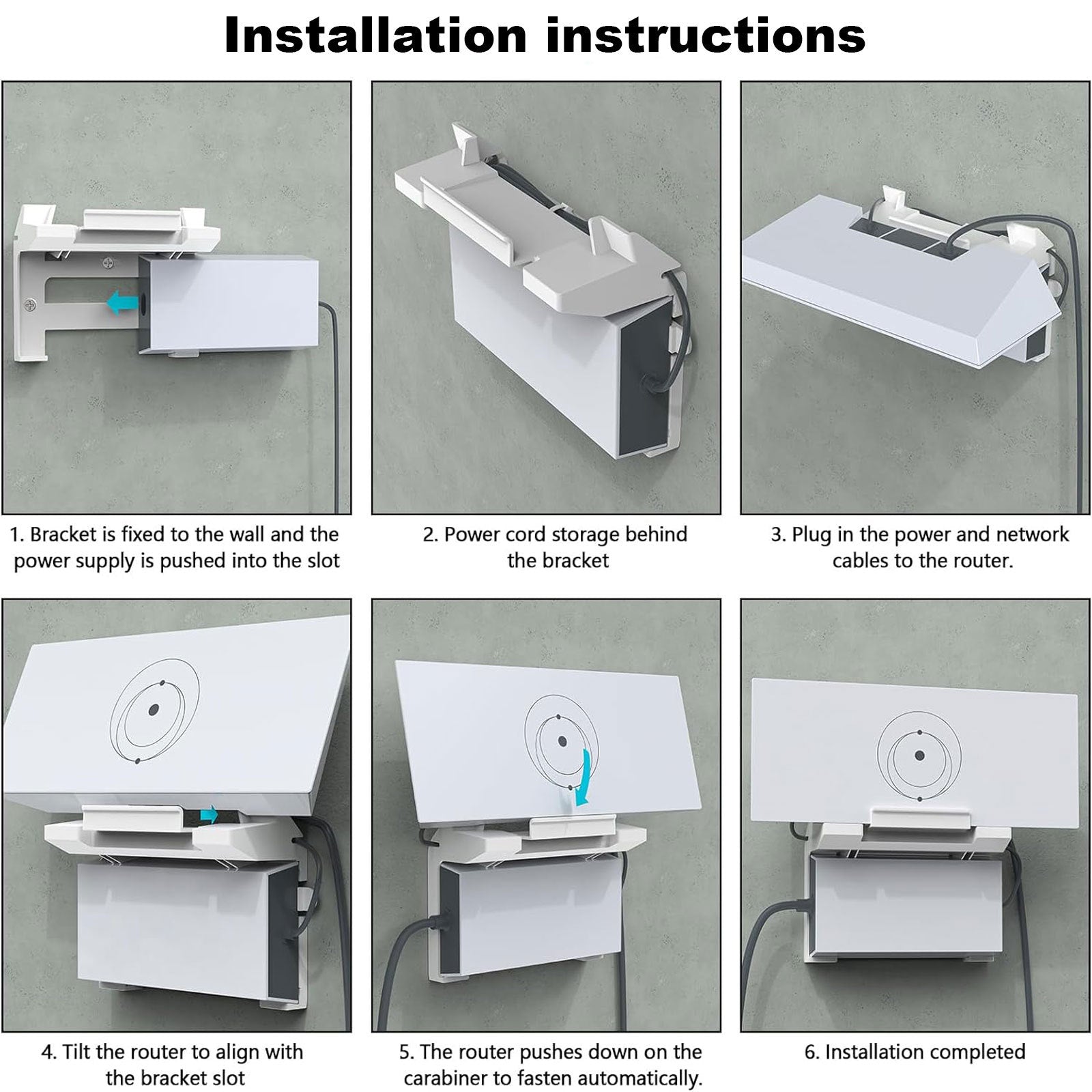
Seat Each Device
The illustrated sequence shows the power supply sliding into its lower position, cable routing behind the frame and the router aligning with the upper retention points.
ABS Mounting Frame
The white ABS frame combines the device cradles, wall mounting holes and retention points.
Choose the Wall Attachment
The supplied adhesive pads are described for smooth glass or ceramic tile. For screw mounting, choose fasteners and anchors suitable for the wall and the full device load.
Compatibilidad
| Modelo | Years / Version | Notas |
|---|---|---|
| Starlink Gen 3 router | UTR-32 router with matching V3 power supply. |
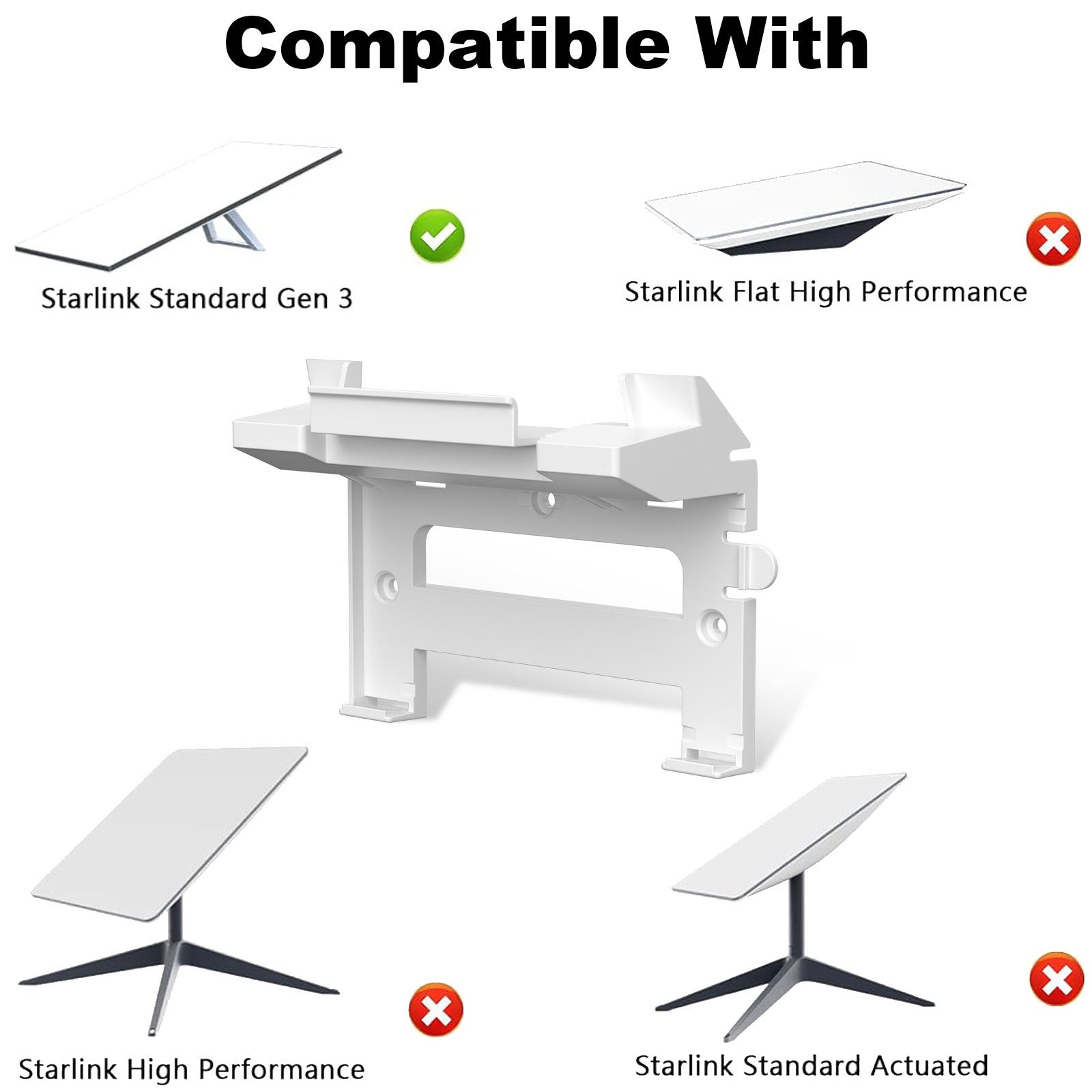
This is the router and power supply bracket, not a dish mount. Fits the listed devices only.
Especificaciones
| Tipo de producto | Router and power supply wall mount kit |
|---|---|
| Compatible Models | Starlink Gen 3 router UTR-32 and matching V3 power supply |
| Material | ABS plastic |
| Color | White |
| Dimensiones | 6.72 in wide × 5.36 in high (17.1 × 13.6 cm); depth excluded |
| Installation Type | 3M adhesive pads on compatible smooth glass or tile, or screws and suitable wall anchors |
| Drilling Required | For screw mounting; adhesive option requires no drilling |
What's in the Box
- 1×Router and power supply wall mount kit
- 3M adhesive pads
- Self-tapping screws
- Wall anchors
Instalación
- Choose a dry indoor location with room for both devices, ventilation and access to the cable connections.
- Fix the empty bracket using the mounting method appropriate for the wall and complete device load. Follow adhesive bonding instructions or wall anchor instructions before loading it.
- Disconnect device power. Seat the power supply in its lower position, route cables without pinching or pulling and align the router with the upper retention points.
- Connect cables and restore power.
Conviene saber
Precaución
- Fits the Gen 3 UTR-32 router and matching V3 power supply only.
- Use the adhesive option only on a compatible clean, smooth glass or ceramic tile surface and within the pad instructions. Paint or textured walls require screw mounting.
- Choose screws and anchors for the actual wall construction and device load.
- Leave the router and power supply ventilated in a dry indoor location. Keep device ports accessible and cables loose enough to avoid strain.
- A moving RV or boat installation needs suitable mechanical attachment and restraint for movement.
Cuidado
- Keep the equipment ventilated; do not wrap the devices or pack excess cable tightly around a heat-producing power supply.
Preguntas frecuentes
Does the kit include the router or power supply?
No. It is a wall mount kit for your Gen 3 UTR-32 router and matching V3 power supply.
Are there two separate wall brackets?
The photos show one frame with separate upper and lower positions for the router and power supply.
Can I install it without drilling?
Yes. The included adhesive pads are for a compatible smooth glass or ceramic tile surface.
Can the included anchors be used in every wall?
Select anchors and screws for the actual wall construction and device load. The included fasteners are not a universal solution for all walls.
Will the mount improve Wi-Fi performance?
It organizes the devices on a wall. Choose the router location for your layout and coverage requirements, while keeping ventilation and cable access clear.

 English
  German
  Spanish